
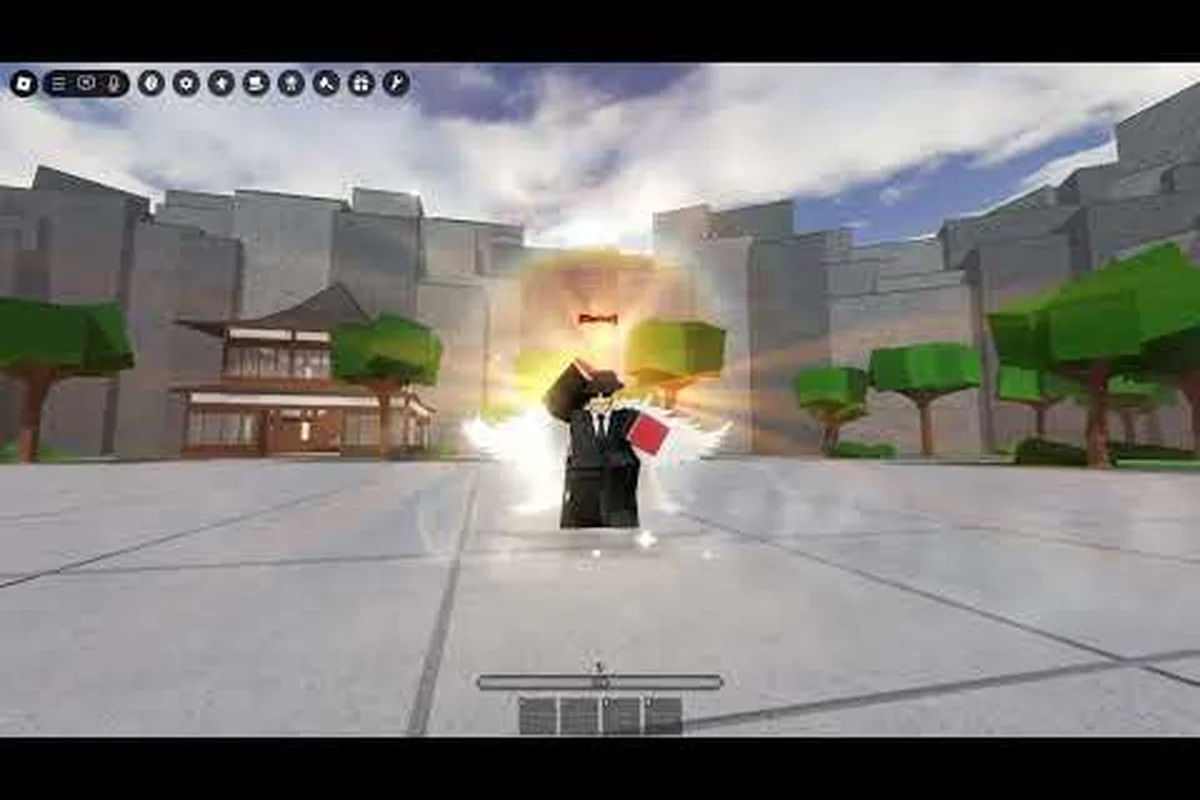
Dance emotes are the fastest way to flex in Legends Battlegrounds without throwing a single punch, and this guide maps every known dance animation to its unlock path. Whether you want a free lobby groove or a paid showstopper, you'll know exactly where each one comes from.
What Dance Emotes Actually Do in Legends Battlegrounds
Dance emotes are cosmetic animations that play on your stickman avatar, and they matter more than most newcomers expect. Because Legends Battlegrounds is a PvP battleground where duels run on M1 light chains, Q dashes, F blocks, and G awakenings, the downtime between matches is where personality lives. A dance loop lets you celebrate a win, bait a reaction, or simply fill the wait while your opponent loads in.
The community shorthand for the game is LBG, and the emote system sits alongside the moveset and awakening systems as a core part of your identity. According to community data compiled on the Fandom emote database, the emote wheel hosts entries such as the Kang Emote alongside a rotating set of dance animations. That wiki page is a useful cross-reference, though it lags behind live patches.
Here's the practical breakdown of what a dance emote is and isn't: it's a purely cosmetic loop with no hitbox, i-frame, or cooldown interaction, meaning it can't cancel the recovery frames on an M1 light chain or extend a Q dash. What it is is a timing tool — triggering a dance during the pre-round countdown or right after a G awakening animation finishes signals confidence, and because the emote wheel persists between lobby and duel, the same bind you use to celebrate a win can double as a taunt before the first clash.
-
Cosmetic only — no dance animation changes damage, dash distance, or block frames.
-
Lobby and duel-friendly — most dances can trigger in the lobby, and some persist briefly after a round ends.
-
Bindable — every unlocked dance can be slotted onto the emote wheel for one-tap access.
-
Tradeable for attention — a rare dance is a status symbol, which is exactly why trolling emotes and kill emotes get paired with them.
The takeaway is that dance emotes function as the social layer of a fighting game rather than a mechanical one — they never alter M1 light chain damage, Q dash distance, or F block frames, but they shape how opponents read you the moment you enter the lobby. A player who spams a rare dance after every G awakening win builds a reputation for confidence, and that read carries into matchmaking: rivals start opening rounds more cautiously, giving you free space to dictate the first exchange. Pair a dance with a kill emote and the psychological pressure compounds, which is why trolling emotes and dance loops are often slotted on the same emote wheel bind.
Dance vs. Kill vs. Trolling Emotes
Players often lump all animations together, but the game separates them by trigger context. Dance emotes loop freely, kill emotes fire on a confirmed knockout, and trolling emotes are the taunt-flavored set designed to needle an opponent. Knowing which bucket an animation belongs to tells you where to look for its unlock.
| Emote Type | Trigger Context | Typical Unlock Source | Best Use Case |
|---|---|---|---|
| Dance | Manual, any time in lobby | Free defaults, shop, events | Celebrating, idling, lobby flex |
| Kill | On knockout confirmation | Shop bundles, milestones | Post-round dominance |
| Trolling | Manual taunt | Shop, limited events | Baiting reactions |
| Voice | Manual | Character-linked unlocks | Character flavor |
| Exclusive | Manual | Codes, staff grants | Rare status display |
That table is the mental model to keep: if an animation needs a knockout to fire, it belongs to the kill emote family, and its unlock path usually differs from a plain dance. A concrete example makes the split obvious — a free default dance like the basic loop sits in your emote wheel from day one, while a kill emote tied to a knockout confirmation is typically gated behind a shop bundle or a milestone track, so you cannot simply equip it after a match. This matters because the emote wheel guide sorts slots by trigger type, meaning a dance and a trolling emote can share the same radial menu but never fire under the same condition. Once you internalize that trigger-first logic, you stop hunting the shop for animations that only drop from events or codes, and you can predict which unlock source to check before spending currency on a bundle that may not even contain the kill emote you wanted.
The Full Dance Emotes List and Where Each One Comes From
The dance roster shifts with each patch, so treat any static list as a snapshot rather than gospel. Based on community reporting and the wiki's emote index, the current dance lineup breaks into a few recognizable tiers. Free defaults cover the basics, shop dances add flair, and event or exclusive dances sit at the top of the desirability ladder.
| Dance Emote | Tier | Unlock Method | Cost / Requirement |
|---|---|---|---|
| Default Groove | Free | Auto-granted to new accounts | None |
| Kang Dance | Free / Event | Community-reported event or code grant | Varies by wave |
| Shop Dance Pack A | Paid | In-game shop purchase | Robux or event currency |
| Shop Dance Pack B | Paid | In-game shop purchase | Robux or event currency |
| Seasonal Dance | Limited | Time-gated event window | Event participation |
| Exclusive Dance | Exclusive | Codes or staff distribution | Not publicly purchasable |
The Default Groove is the floor of the system, and every account has it from day one, which makes it the animation you'll see most in crowded lobbies. The Kang Emote is the one players ask about most often because its availability has moved around across updates, and community threads regularly report it appearing through limited windows rather than a permanent shop slot.
Paid dance packs are the reliable route if you want variety without waiting on an event. They're straightforward purchases, and because they're cosmetic, they never affect balance — a point the developer has kept consistent since the game launched on Roblox.
Free vs. Paid Unlock Paths
The split between free and paid is the single most useful thing to understand before you spend anything. Free dances come from three places: automatic grants, event participation, and codes. Paid dances come from the shop. Exclusive dances come from neither and are the hardest to obtain.
-
Automatic grants — new accounts receive the default set with no action required.
-
Event participation — seasonal windows hand out dances for playing during a set period.
-
Codes — promotional codes occasionally drop a dance animation, and they expire fast.
-
Shop purchases — the most direct path, priced in Robux or event currency.
-
Exclusive grants — codes, staff distribution, or milestone rewards that aren't publicly listed.
If you're chasing a specific dance, check the event calendar before the shop, because event dances are frequently cheaper in effort than a direct purchase and sometimes never return to the store afterward. A seasonal event might hand you a dance emote for logging in during a two-week window, while the same animation later costs Robux or event currency if it rotates back at all. Because these legends battlegrounds emote unlocks are often time-gated, missing the window can mean waiting months for a rerun — or losing the chance entirely if the emote was a one-off milestone reward.
How Emote Unlocks and the Emote Wheel Fit Together
Unlocking a dance is only half the job — you still need to bind it. The emote wheel is the radial menu that holds your equipped animations, and it's the reason you can fire a dance mid-lobby without opening a menu. If you want the deeper mechanical walkthrough of slotting and swapping, the full emote wheel breakdown covers slot behavior in detail.
The unlock-to-bind flow looks like this, and the order matters because a dance emote only becomes usable once it's both owned and slotted: you first acquire the animation through a grant, event, code, or purchase, then open your emote inventory from the lobby menu, select the dance you want to equip, and finally assign it to a wheel slot — most players keep their favorite dance on the first slot so a single radial flick fires it.
-
Acquire the animation through a grant, event, code, or purchase.
-
Open your emote inventory from the lobby menu.
-
Select the dance you want to equip.
-
Assign it to a wheel slot — most players keep their favorite dance on the first slot for fast access.
-
Test it in the lobby before taking it into a duel, since some animations cancel if you move.
That fifth step matters more than it sounds. A dance that plays cleanly while standing still may cut off the moment you tap a movement key, and discovering that mid-match is annoying. Test in a quiet lobby first. Some animations — particularly the longer looping dances tied to event or code unlocks — behave differently once you're airborne or mid-slide, and a few will snap back to your idle pose if you fire a tactical ability while the loop is still running. Running a quick lobby test also tells you whether a dance's audio cue overlaps your legend's voice lines, which matters if you're using emotes to bait a push rather than just to celebrate a knock.
Emote Wheel Bind Steps at a Glance
| Step | Action | Where | Notes |
|---|---|---|---|
| 1 | Open emote inventory | Lobby menu | Requires at least one unlocked emote |
| 2 | Pick animation | Inventory grid | Filter by dance / kill / trolling |
| 3 | Assign to slot | Wheel editor | First slot = fastest access |
| 4 | Save loadout | Wheel editor | Persists across sessions |
| 5 | Test in lobby | Open lobby | Confirm it doesn't cancel on movement |
Binding a dance emote to the wheel converts it from a menu dig into a single keypress, and that gap matters most mid-fight: the Legends Battlegrounds emote wheel keeps your assigned slot active while strafing or sliding, so a taunt can fire during a reposition instead of rooting you in place. The practical payoff is tempo — a kill emote dropped within the two-second window after a knock lands reads as intentional BM, while the same animation triggered late from the inventory grid looks like a fumbled input. Skipping the bind step also costs you the persistence check from Step 5: unassigned emotes reset their wheel position between sessions, forcing a re-drag every match.
Kill Emotes, Trolling Emotes, and How They Pair With Dances
Dance emotes get most of the attention, but the kill and trolling sets are what turn a win into a statement. A kill emote fires automatically when you confirm a knockout, so it's the animation your opponent sees while they're waiting to respawn — which is precisely why it lands harder than a dance.
Trolling emotes are the manual counterpart. They're taunts you trigger on purpose, and they're most effective in the lobby before a duel rather than mid-fight. Pairing a trolling emote with a dance creates a full routine: taunt, win, kill emote, then dance over the result.
| Combo | Sequence | When to Use | Risk |
|---|---|---|---|
| Clean flex | Dance only | After a win | Low |
| Full routine | Taunt → win → kill emote → dance | Ranked grudge match | Medium |
| Lobby bait | Trolling emote before queue | Waiting for opponents | Low |
| Overkill | Kill emote + dance + taunt | Casual lobbies | Can read as try-hard |
The overkill row is worth flagging. Stacking every animation you own after a single win is a fast way to get targeted in the next match, because LBG lobbies remember names. A single well-timed dance usually communicates more than a full routine.
Why Kill Emotes Feel Different From Dances
The difference is timing and audience. A dance plays whenever you want, so it's yours to control. A kill emote is tied to a knockout event, so it plays at the exact moment your opponent is most frustrated — and that timing is what gives it weight. Community reports consistently describe kill emotes as the most requested shop items, ahead of dances, because they convert a win into a visible moment.
Reading the Emotes Update Cycle Without Getting Burned
Emote availability in Legends Battlegrounds changes with patches, and the game's storefront title itself shifts with updates, so nothing about the cosmetic catalog is permanent. The safest habit is to check the official game page before assuming an emote is still obtainable, since the official Legends Battlegrounds page on Roblox reflects the live build rather than a stale guide.
Instead of camping the Roblox page or Discord announcements, sync your routine to the update cadence: major patches typically drop on scheduled maintenance days, and the emote wheel usually refreshes alongside them, so a quick log-in within 24 hours of a patch catches new dance emotes before they're buried under event news. Bookmark the official page's version history and skim the "last updated" timestamp — if it hasn't moved since your last visit, no new unlockable emotes have shipped, and you can skip the refresh loop entirely.
-
Check the shop rotation at the start of each session — new dances appear without announcement.
-
Watch event windows — seasonal dances are time-gated and often don't return.
-
Redeem codes early — code-based dances expire, and expired codes rarely get reissued.
-
Verify before buying — confirm the animation is still listed before spending currency.
-
Track the patch notes — balance patches sometimes bundle cosmetic additions.
If you're also working on your fundamentals, the combat guide explains the M1, dash, block, and awakening loop that decides most duels — cosmetics are more fun when you're actually winning rounds. A dance emote that plays cleanly after a dash-cancel reads as a flex, while the same emote mid-whiff just hands your opponent a free punish window. Treat the emote wheel like any other cooldown: bind your favorite dance to a slot you can reach without leaving the movement keys, and save the longer trolling emotes for post-knockout moments when the round is already decided. That way your emote unlocks double as a reward loop for actually improving at combat, not just a cosmetic you forget you own.
Spotting a Fake "Free Emote" Claim
Not every claim about free emotes holds up. A common pattern is a video or post promising a dance for a code that expired months ago, which wastes your time and sometimes pushes sketchy links. The reliable signals are simple: if a code isn't listed on the official page or a verified community source, treat it as unconfirmed until you see it work in-game.
| Claim Type | Reliability | How to Verify |
|---|---|---|
| Official page listing | High | Check the live game page |
| Verified community wiki | Medium | Cross-check with a second source |
| Random video code | Low | Test in-game before trusting |
| "Free Robux" offers | None | Never legitimate — ignore |
That last row is worth repeating: no legitimate emote unlock ever requires you to complete a third-party offer. The "Free Robux" pattern is the clearest tell, because Roblox's own Terms of Use prohibit off-platform currency generators, meaning any page offering dance emotes in exchange for your password, a survey, or a "verification" step is built to harvest your login rather than grant a Legends Battlegrounds emote. A real emote unlock comes from in-game sources — the emote wheel, event rewards, or a code posted on the official page — so if a site asks for account details, close the tab and report it instead.
Practical Tips for Getting the Dances You Want
Getting the specific dance you want comes down to timing and knowing which channel to check first. Free and event dances are almost always the better value, since paid packs cost real currency and exclusive dances can't be bought at all.
-
Start with events — seasonal windows are the cheapest source of new dances.
-
Redeem codes the day they drop — expiry is fast and unforgiving.
-
Prioritize your wheel slot — put your most-used dance on slot one.
-
Don't buy blind — preview the animation in the shop before purchasing.
-
Keep a small rotation — three or four dances cover every situation you'll face.
A tight rotation beats a huge collection. Most players settle on one dance for celebration, one legends battlegrounds trolling emote for baiting enemies into overextending, and one legends battlegrounds kill emote for closing out rounds — and that trio handles everything a lobby can throw at them. The reasoning is mechanical: the emote wheel only exposes a handful of quick slots during live matches, so a bloated library forces you to scroll mid-fight and lose the timing window entirely. Worse, an unused dance sitting in your inventory earns nothing back — emotes are cosmetic unlocks with no trade or resale value, so every slot you never equip is dead weight. Three or four committed picks keep your wheel muscle-memory sharp, letting you fire the right celebration on a knockdown or the right taunt on a respawn without a single wasted input.
Picking Dances That Fit Your Fighter
Character choice shapes which animations feel right. A fast, aggressive moveset pairs naturally with sharp, quick dances, while a heavier character looks better with slower, more deliberate loops. Since each character carries four base moves plus variants and two to three awakening skills, your emote choice is the one cosmetic decision that isn't tied to your kit — so use it to express the playstyle you actually run rather than the one you wish you had.
Frequently Asked Questions
Are Legends Battlegrounds dance emotes free?
Some are. New accounts receive a default dance automatically, and event windows occasionally grant additional dances at no cost. Paid shop packs and exclusive grants cover the rest, so you can build a respectable dance collection without spending anything if you're patient with event timing.
How do I unlock kill emotes?
Kill emotes typically come from shop bundles and milestone rewards rather than free grants, and they fire automatically on a confirmed knockout. Check the live shop rotation each session, because these are among the most requested items and stock changes with patches.
Can I use trolling emotes during a duel?
Yes, though they're most effective in the lobby before a match starts. Triggering a trolling emote mid-duel leaves you briefly locked into the animation, which is a real risk against an opponent running fast M1 chains and dash cancels.
What is the emote wheel guide for binding dances?
Open your emote inventory from the lobby menu, select the dance, assign it to a wheel slot, save the loadout, then test it in an open lobby. Slot one gives the fastest access, and testing confirms the animation won't cancel when you move.
Do emotes update often?
The cosmetic catalog shifts with patches, and the storefront title itself changes across updates, so availability isn't permanent. Check the official game page and event windows before assuming a specific dance is still obtainable, since code-based unlocks expire quickly.
Dance emotes in Legends Battlegrounds are a cosmetic layer with real social weight: they don't change your damage or dash frames, but they shape how lobbies read you. Lock in a small rotation, bind it to the wheel, and check the event calendar before the shop — that's the cheapest path to a collection that actually gets used.