
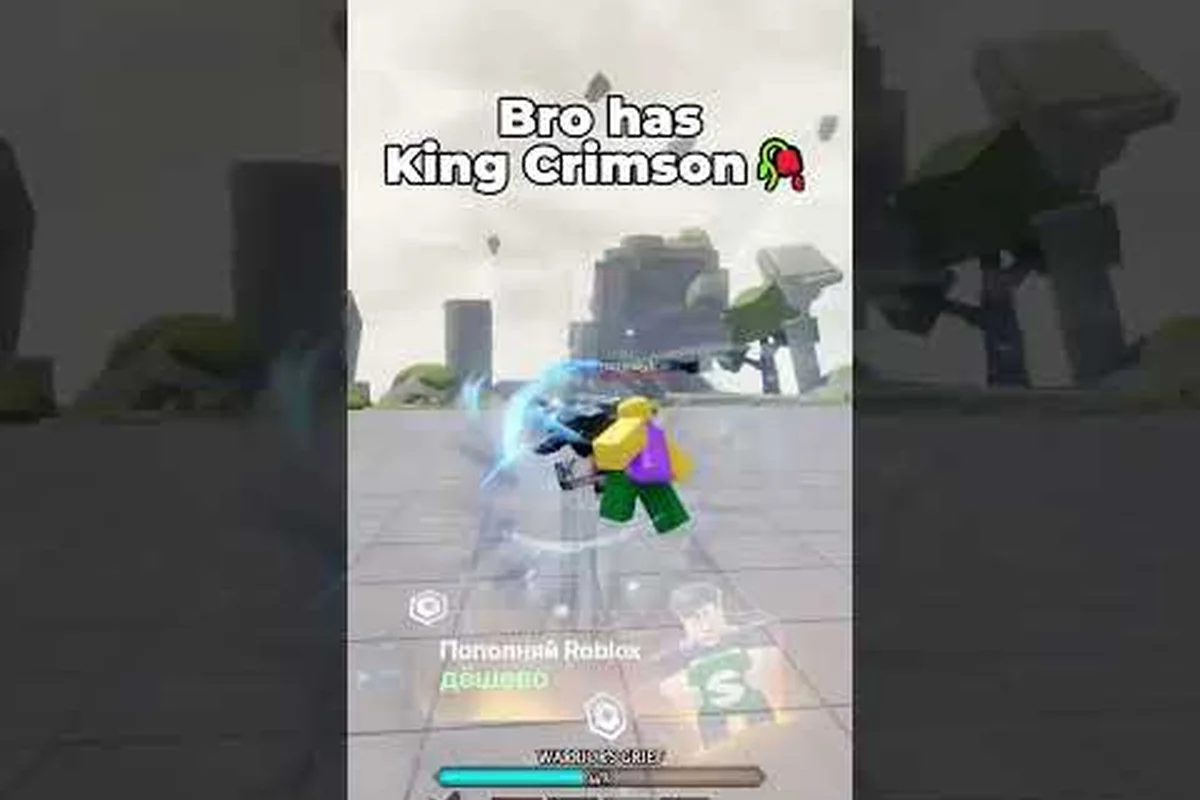
The Legends Battlegrounds public lobby is where every duel begins, and understanding how servers fill, how to hop between them, and how to bring friends along changes how fast you improve. This guide breaks down joining, hosting, and queuing with friends so your next session runs smoothly.
How the Legends Battlegrounds Public Lobby Actually Works
Every match in this Roblox stickman brawler starts from a shared server, and the public lobby is the default doorway. When you press play on the official game page, Roblox drops you into a live server with other players already fighting, emoting, and warming up. There is no separate menu screen you have to clear first — you spawn into the arena and can start dueling almost immediately.
The lobby itself is more than a waiting room. It is where you pick your character, test a moveset, and read the room before committing to a fight. Because Legends Battlegrounds is a 1v1-focused fighter, the server population matters: a busy lobby means faster matchmaking, while a quiet one means you may wait longer between opponents.
That structure has a direct effect on matchmaking: because the game is built around 1v1 duels rather than large team modes, the lobby only needs two willing players to start a round, so you can often chain fights back-to-back instead of waiting for a full squad to assemble. The trade-off is that a lobby's mood is self-reinforcing — a handful of active duelists keeps the queue moving, while a server full of AFK or emote-spamming players stalls it. If you want faster fights, hop to a server with a higher player count rather than idling in a half-empty one; the official game page server list shows live population before you commit.
-
Server capacity is limited, so popular lobbies fill up and new ones spin up automatically as demand rises.
-
Region matters — Roblox routes you to nearby servers by default, which keeps ping low for the dash-heavy combat.
-
Cross-platform play is enabled, so PC, mobile, and console players share the same lobbies.
-
Your character choice persists across sessions, so you can jump back into a lobby and keep the same moveset.
The key takeaway is that the public lobby is not a barrier — it is the fastest way to find a live opponent. If you are brand new to the fighter, the beginner guide walks through the core controls before you step into a crowded server.
Why Server Population Changes Your Experience
A packed lobby is not automatically better. High-population servers mean more opponents, but they also mean more players competing for the same duel slots and more visual clutter during fights. Lower-population servers give you cleaner 1v1s and more room to practice combos without a crowd watching.
Community reports suggest that mid-size lobbies — busy enough to match quickly, quiet enough to breathe — tend to produce the most consistent practice sessions. If you are drilling a specific combo, a calmer server is usually the smarter pick. The reason comes down to respawn pacing: in a 12–16 player lobby, you cycle back into fights fast enough to keep your inputs warm, but you rarely get third-partied mid-combo the way you would in a 30+ player server. That middle band also makes it easier to test whether a string actually connects or whether you were just getting lucky against distracted opponents. When you are ready to isolate a single matchup, that is usually the point where players graduate to a legends battlegrounds private server rather than fighting the public queue for a clean rep.
How to Join a Server and Hop Between Lobbies
Learning how to join a server in Legends Battlegrounds is straightforward, but server hopping is the skill that separates players who wait from players who fight. Hopping means leaving your current server and rejoining to land in a different lobby — often one with more players, better ping, or friends already inside.
The Basic Join Flow
Joining works through Roblox's standard server system. You pick the game, Roblox assigns a server, and you spawn in. There is no in-game "server browser" with a manual list, so hopping relies on Roblox's own server selection tools rather than an in-game menu.
| Action | Where It Happens | What It Does |
|---|---|---|
| Join a server | Roblox game page | Drops you into an auto-assigned public lobby |
| Rejoin | Roblox "Servers" tab | Sends you back to the same or a new server |
| Hop servers | Leave + rejoin | Lands you in a different lobby |
| Join a friend | Roblox friends list | Places you in your friend's current server |
| Join a private server | Private Server link | Loads a host-controlled lobby |
When Hopping Is Worth It
Server hopping pays off in a few specific situations. If your current lobby is nearly empty and matchmaking is slow, hopping to a fuller server gets you into fights faster. If your ping is spiking because you landed in a distant region, hopping can drop you into a closer one. And if you want to find a friend without a private server, hopping through public lobbies until you land in theirs is the free workaround.
The trade-off is time. Each hop costs you a loading screen, and there is no guarantee the next server is better. Players who hop aggressively sometimes spend more time loading than fighting, so it is worth setting a limit — two or three hops, then commit.
Playing With Friends in Public Lobbies
Figuring out how to play with friends is one of the most common questions new players ask, and the answer depends on whether you want a casual session or a controlled one. Public lobbies let you play alongside friends, but they do not guarantee you will face each other or avoid random opponents.
The most reliable method is the Roblox friends list. If your friend is already in a server, you can join them directly from the list, which places you in their exact lobby. From there you can duel each other, team up against others in free-for-all moments, or just practice in the same space.
| Method | Setup Effort | Control Level | Best For |
|---|---|---|---|
| Join via friends list | Low | Medium | Casual sessions with one friend |
| Coordinate a public server | Medium | Low | Larger groups, unpredictable fights |
| Private server | Medium | High | Controlled 1v1s and training |
| Private Server+ | Higher (gamepass) | Very High | Custom rules and modifiers |
Coordinating a Group Without a Private Server
If you want more than one friend in the same lobby, coordination gets harder because public servers fill unpredictably. A common community workaround is to pick a low-population server first, then have everyone join that same server through the friends list before it fills up. It is not foolproof, but it works often enough that many groups use it as their default.
The catch is that public lobbies are shared spaces. Other players can and will join, interrupt duels, or challenge your group. If your goal is uninterrupted practice or a private tournament, a public lobby will eventually frustrate you — which is exactly where private servers come in.
Private Server vs Private Server+ Gamepass
A Legends Battlegrounds private server gives you a lobby that only people you invite can enter, which solves the interruption problem entirely. You control who joins, when fights start, and what rules apply. For players who want to drill combos, run friend-only tournaments, or teach a newcomer without a crowd, this is the cleanest option.
The paid tier, often called Private Server+, adds host controls on top of the basic private lobby. According to community wiki documentation, the Private Server+ gamepass unlocks command-based perks and modifiers that let a host reshape how the server behaves — things like adjusting combat rules or toggling specific settings that a standard private server does not expose.
| Feature | Public Lobby | Private Server | Private Server+ |
|---|---|---|---|
| Who can join | Anyone | Invited players only | Invited players only |
| Host controls | None | Basic | Advanced commands |
| Modifiers | No | No | Yes |
| Cost | Free | Robux | Robux (gamepass) |
| Best for | Fast matchmaking | Friend sessions | Custom rules, training |
Is the Private Server+ Gamepass Worth It?
Whether the gamepass is worth it depends entirely on how you play. If you mostly hop into public lobbies for quick duels, a private server adds little — you are paying for control you will not use. If you regularly train with friends, run scrimmages, or want to test specific scenarios without random interference, the host commands justify the cost.
Community discussion around the gamepass tends to split along that line: solo players rarely need it, while groups and content creators treat it as a near-essential tool. If you are weighing the purchase, the private server commands breakdown covers what the host tools actually do before you spend Robux.
Server Hopping Tips and Common Mistakes
Getting server management right is mostly about knowing when to stay and when to move. In Legends Battlegrounds, a public lobby is only worth keeping if it clears three checks: your ping stays under roughly 100 ms, the player count is high enough to fill a match quickly, and your friends are actually reachable through the friends list rather than a random join. If any of those fail, the fix is a deliberate hop — not endless scrolling. These habits come up repeatedly in community discussions and separate smooth sessions from frustrating ones.
-
Check ping before you commit. A quick glance at your connection tells you whether a hop is needed.
-
Hop early, not mid-session. Switching servers after you have warmed up wastes your momentum.
-
Use the friends list for joining, not guessing. Random hopping to find a friend rarely works; the list is faster.
-
Set a hop limit. Two or three attempts is usually enough before you should just play.
-
Pick the right lobby for the goal. Crowded for matchmaking, quiet for practice, private for control.
The biggest mistake is treating hopping as a strategy in itself. It is a tool for fixing a specific problem — slow matchmaking, bad ping, or a missing friend — not a way to play. Players who internalize that spend far more time fighting and far less time staring at loading screens.
Matching Your Lobby to Your Goal
Different sessions call for different lobbies. If you want rapid-fire duels against varied opponents, a busy public server is ideal. If you are learning a new character's moveset, a quieter server or a private lobby removes distractions. And if you are running a structured practice session with a group, Private Server+ gives you the control to make it repeatable.
Treating the lobby as a deliberate choice rather than a default is the single biggest upgrade a new player can make, and it costs nothing but a few seconds of intent. Before you hit Play, run a quick three-step check: pick the mode that matches your goal (Duels for 1v1 reads, Brawl for chaotic team fights), confirm the server region shows low ping so your parries and dodges register cleanly, and decide whether you actually want randoms or a Private Server+ lobby. That last call matters most — hopping into a public lobby to warm up combo timing is fine, but if you are drilling a specific matchup, a public server's random skill spread will waste the session. Choosing on purpose, every time, is what separates players who improve from players who just queue.
Frequently Asked Questions
How do I join a specific server in Legends Battlegrounds?
There is no in-game server browser, so you join through Roblox's own tools. Use the Servers tab on the game page to rejoin, or join a friend directly from your friends list to land in their exact lobby. Random hopping is the only way to reach a server with no known players.
Is server hopping allowed in Legends Battlegrounds?
Yes. Hopping is simply leaving and rejoining, which is a normal Roblox action rather than a game exploit. Players use it to find fuller lobbies, better ping, or friends. Just keep in mind that each hop costs a loading screen, so it is best used to fix a specific problem.
What is the difference between a private server and Private Server+?
A standard private server limits entry to invited players only. Private Server+ is a paid gamepass that adds host commands and modifiers on top of that, letting the owner adjust combat rules and settings. According to community wiki data, the advanced controls are what separate the two tiers.
Can I play with friends in a public lobby?
Yes, though it is less controlled than a private server. Join your friend through the Roblox friends list to share their lobby, then duel each other or fight others together. Public lobbies stay open to everyone, so random players can still join and interrupt your session.
Do I need a private server to practice combos?
No, but it helps. A quiet public lobby works for solo practice, while a private server removes interruptions entirely and lets you repeat the same scenario. If you train with a group regularly, Private Server+ host controls make structured practice far easier to run consistently.
Wrapping Up
The Legends Battlegrounds public lobby is the fastest route into a duel, and knowing how to join a server, when to hop, and how to bring friends along turns a chaotic free-for-all into a session you control. Public lobbies win on speed, private servers win on control, and Private Server+ wins when you need custom rules. Match the lobby to your goal — quick fights, focused practice, or a friend-only scrimmage — and every session gets more productive.