
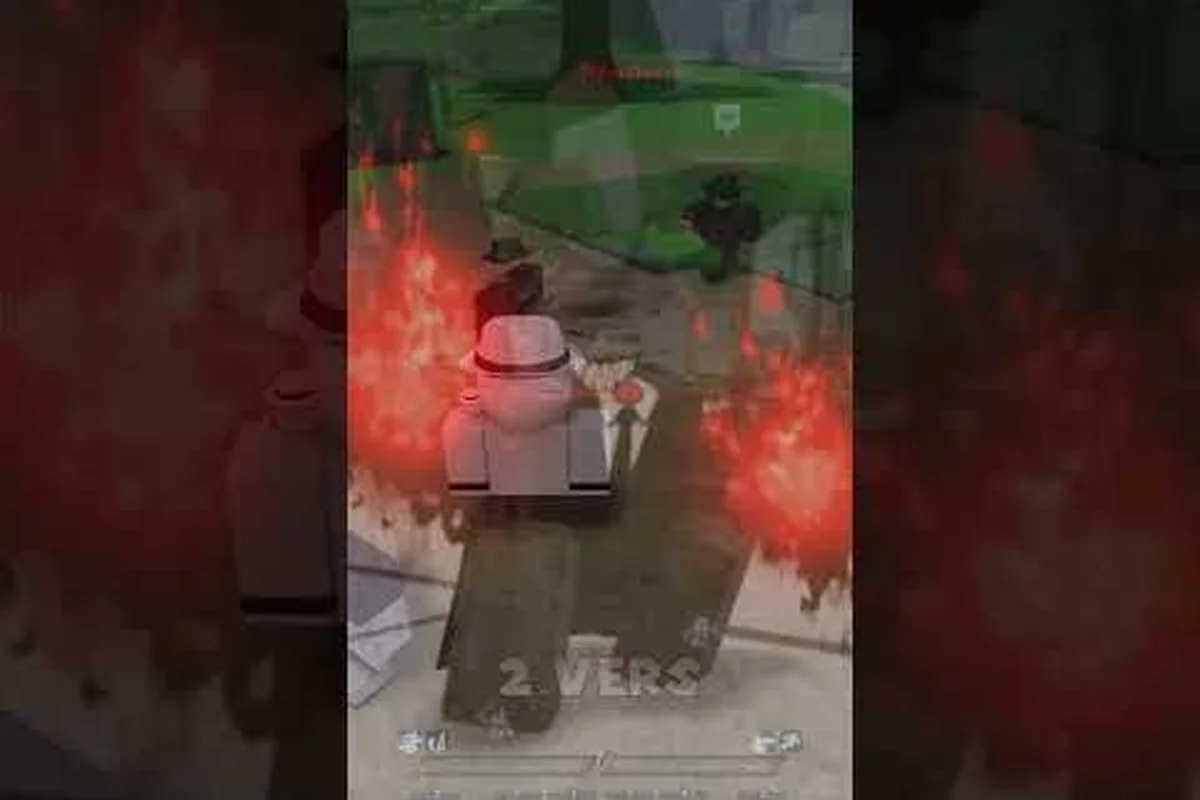
The Legends Battlegrounds dev forum is where Arts of Vermillion handles bug reports, player reports, and ban appeals, and knowing the right channel saves you hours of waiting. This guide maps every official contact point so your report actually reaches the team.
Where the Legends Battlegrounds Dev Forum Actually Lives
There is no standalone website for this game, so the phrase "dev forum" points to a cluster of official channels rather than one message board. The studio behind the game, Arts of Vermillion, runs a verified Roblox group with roughly 1.44 million members, and the developer known as Zalekoth (zale) communicates through that group, a Discord server with about 120,000 members, and a YouTube channel sitting near 11,300 subscribers. Understanding which channel handles which request is the single biggest time-saver for new players.
The table below breaks down every verified official destination and what each one is actually for, mapping each channel to the specific request type it is built to handle. Note the split between broadcast and intake: the Roblox group (Arts of Vermillion) and the YouTube channel run by zale push announcements outward, while the Discord server and the official Trello board are where player-submitted information flows back in. That distinction matters because the Trello board is updated with patch notes, moveset data, and roadmap entries, so checking it first tells you whether a bug is already known before you spend time filing a report.
| Channel | Purpose | Best For |
|---|---|---|
| Roblox group (Arts of Vermillion) | Announcements, membership, group wall | Confirming you are in the official community |
| Discord server | Live chat, report tickets, appeal queue | Bug reports, player reports, ban appeals |
| Official Trello board | Patch notes, moveset data, roadmap | Checking whether a bug is already known |
| YouTube channel (zale) | Trailers, update previews, showcases | Seeing upcoming content before release |
| X/Twitter (@Zalekoth) | Short status updates | Catching downtime or hotfix notices |
A common mistake is treating the Roblox group wall as a support desk. It is not. Group walls are public and unmoderated in practice, so a bug report posted there usually gets buried under memes within minutes. The Discord server is where structured reporting happens, because it supports ticket threads that moderators can track and close.
If you have not joined the community yet, the Legends Battlegrounds Discord server walkthrough covers the invite process and channel layout in detail, which is worth reading before you open your first ticket. That matters because the ticket system is the only intake path for the three request types the server handles — bug reports, player reports, and ban appeals — and each one opens in a different channel with its own required evidence format. Filing a ban appeal in the bug-report channel, or submitting a player report without a clip or match ID, typically gets the ticket closed without review, so spending ten minutes on the channel map first saves you a rejected submission and a second wait in the appeal queue.
Why the Official Trello Board Comes First
Before you type a single word into a report form, check the official Trello board. The development team maintains it as a living document covering patch notes, character movesets, and the current roadmap. Roughly half of the reports filed by newer players describe behavior that is already logged as a known issue, and those tickets get closed without action.
The board is organized into columns that typically include In Progress, Planned, Fixed, and Known Issues. When you find your problem listed under Known Issues, you have your answer without waiting for a moderator. When it is not listed, you now have a stronger report because you can state that you checked the board first.
Checking Patch Notes Before You Report a Bug
Patch notes on the board also tell you whether a recent update intentionally changed a mechanic. A move that suddenly deals less damage may be a deliberate balance pass rather than a bug. Community members frequently report "broken" combos that were nerfed on purpose, and moderators point them back to the patch log.
Scanning the two most recent patch entries takes about three minutes and eliminates a large share of wasted tickets, since a balance pass or hotfix often explains the "bug" before you ever file it. It also gives your report credibility: citing the exact version you are playing on — for example, referencing the specific patch number listed on the legends battlegrounds official trello board — lets moderators verify your claim instantly and route it correctly. Reports filed against an outdated build are routinely closed as "not reproducible," so confirming your version first spares you that dead end and keeps your legends battlegrounds report bug submission from being dismissed outright.
How to Report a Bug Without Getting Ignored
A well-formed bug report gets fixed faster because the developer does not have to interrogate you for basics. The team works on a Roblox title with cross-platform support, so a bug on mobile may not reproduce on PC, and that detail matters enormously. Vague reports like "combat is broken" tell the developer nothing and usually sit unanswered.
| Field | Why it matters | Example entry | Common failure mode |
|---|---|---|---|
| Platform and device | A mobile-only desync tied to one phone model never reproduces on a PC build | "Mobile – iPhone 13, iOS 17.4" | Writing only "mobile" so the dev can't isolate the device |
| Game version or update name | Lets the team cross-reference your report against the current patch board | "Lobby version string + latest patch title" | Reporting against an outdated build already fixed |
| Character and moveset | A broken hitbox on one fighter's special is a different fix than a global combat issue | "One fighter's Q dash cancel + F block interaction" | Omitting the fighter, so it reads as a global combat bug |
| Reproduction steps | Numbered actions from spawn to the moment the bug appears | "1. Spawn 2. M1 x3 3. Q dash 4. G awakening" | Vague "it just happens sometimes" |
| Expected vs. actual result | Separates a real defect from a misunderstanding of the moveset | "Expected F block to absorb M1 chain; actual = no block" | Only describing the actual result |
| Evidence | A short clip showing the full input-to-failure sequence is nearly impossible to dismiss | "Under-30-second clip from spawn to failure" | A single frozen-screen screenshot that proves nothing |
Use the structure below when you file a report in the Discord ticket channel. Each field exists because developers genuinely need it: the platform and device field exists because a mobile-only desync bug tied to a specific phone model will never reproduce on a PC build, the game version field lets the team cross-reference your report against the current Legends Battlegrounds official Trello patch board, and the character and moveset field matters because a broken hitbox on one fighter's special is a very different fix than a global combat issue. Filling every field also keeps your ticket from being closed as incomplete, which is the fastest way a report dies in the queue.
-
Platform and device: PC, mobile, or console, plus your exact device model if on mobile
-
Game version or update name: the version string shown in the lobby or the latest patch title from the board
-
Character and moveset: which fighter you were using, since bugs often live inside one specific moveset
-
Reproduction steps: numbered actions from spawn to the moment the bug appears
-
Expected vs. actual result: what should have happened and what did happen instead
-
Evidence: a clipped video or screenshot, ideally under 30 seconds and showing the full sequence
The evidence field is where most reports fail. A screenshot of a frozen screen proves nothing on its own, while a short clip showing you pressing the input and the character failing to respond is nearly impossible to dismiss. Roblox has built-in capture tools on most platforms, so recording costs you almost nothing.
Writing Reproduction Steps That Developers Can Follow
Reproduction steps should read like a recipe, not a story. Write "1. Spawn as the character. 2. Dash toward the wall. 3. Press block during the dash. 4. Character clips through geometry." That sequence lets a developer repeat your exact conditions in under a minute.
Avoid bundling multiple bugs into one ticket. If your dash clips through walls and your ultimate also fails to register, file two separate reports. Combined tickets get split by moderators anyway, and splitting them yourself saves a round trip. The reason is structural: each report in the Legends Battlegrounds dev forum is triaged by ability or system tag, so a dash-clipping issue routes to the movement and collision team while an ultimate failing to register routes to the ability and hitbox team. When you merge them, a moderator has to manually untangle which reproduction steps belong to which system before either team can act, and that handoff can add days before your ticket even reaches the right queue. Filing separately also lets you attach the correct clip and match ID to each issue, which matters because the Legends Battlegrounds official Trello board tracks confirmed bugs per system rather than per player report. Before submitting, check that board for an existing card on your exact bug; if one exists, add your reproduction steps and match ID as a comment instead of opening a duplicate, since duplicates dilute the upvote count moderators use to prioritize fixes.
What Happens After You Submit
Once submitted, your ticket enters a queue that moderators triage by severity. Crashes and progression-blocking bugs move to the front, while cosmetic issues like a misplaced texture wait longer. You may be asked follow-up questions, so keep notifications on for the ticket thread.
There is no guaranteed timeline. This is a small independent studio, not a large publisher with a dedicated QA department, so a fix may land in the next patch or several updates later. Community reports suggest that well-documented crash bugs tend to get addressed within one or two update cycles, while balance complaints take longer because they require design decisions rather than code fixes.
Reporting a Player and Understanding Enforcement
Reporting another player follows a different path than a bug report, and mixing the two slows both down. Player reports go through dedicated Discord channels or an in-game report option, and they require evidence of the behavior itself rather than a description of the outcome. Moderators cannot act on "this guy was toxic" without something to review.
The table below shows what evidence each violation type needs and how the team typically handles it, reflecting the escalation model used across the legends battlegrounds official trello and pinned legends battlegrounds community rules. A single exploiter clip may trigger immediate permanent removal, while chat harassment usually starts with a warning before a temporary mute, and repeat teaming or intentional throwing reports stack toward suspensions rather than instant bans.
| Violation | Evidence Needed | Typical Handling |
|---|---|---|
| Exploiting or script use | Clip showing impossible movement or damage | Immediate review, often permanent removal |
| Harassment in chat | Screenshot with timestamps and usernames visible | Warning to temporary mute or ban |
| Teaming in solo modes | Clip of coordinated behavior across a full match | Temporary suspension on repeat offenses |
| Intentional throwing | Match recording showing deliberate self-elimination | Warning, escalating with repeat reports |
| Ban evasion | Alt account linked to a banned user | Extended ban on both accounts |
Enforcement decisions rest with the moderation team, and the developer rarely comments on individual cases publicly — a deliberate policy rather than neglect. The reasoning ties back to the escalation model in the table above: because a single exploiter clip can trigger permanent removal while chat harassment starts at a warning, publishing case-by-case verdicts would expose reporters and the reported alike to retaliation, doxxing, and coordinated false reports. That is why the legends battlegrounds community rules route disputes through the legends battlegrounds ban appeal process instead of open threads, and why players who want a paper trail should keep their own clips and timestamps rather than expecting a public statement from the dev team.
Capturing Evidence That Holds Up
Clip length matters more than clip quality. A 20-second recording that shows the full context of a violation beats a crisp 5-second snippet that leaves moderators guessing what happened before and after. Start recording before the incident when possible, and keep the scoreboard or player list visible so usernames are legible.
Never edit clips to remove context, even when the trimmed version makes the violation look more clear-cut. Footage that hides the moments before an exchange reads as manipulation, and moderators reviewing a legends battlegrounds report player thread will discount it outright — worse, a pattern of edited submissions can get your future reports deprioritized. The standard the team works from is raw footage with a visible, unbroken timeline: keep the full encounter, the kill feed, and the scoreboard in frame so a moderator can verify the sequence themselves. If the clip is long, say so in your report and timestamp the relevant window instead of cutting it.
Why False Reports Carry Consequences
Filing knowingly false reports is itself a violation under the community rules. Players who mass-report rivals after losing a duel can face warnings or mutes, because the moderation queue is a shared resource and junk reports push real ones down. Report in good faith, and report once. Duplicate tickets for the same incident do not speed anything up.
Community Rules and the Ban Appeal Process
The community rules exist to keep a competitive fighting game playable for everyone, and they apply across every official channel, not just in-game. Breaking them in Discord can get you muted or banned from the server even if your game account stays clean, and vice versa. Reading the rules once takes five minutes and prevents most accidental violations.
The core expectations are straightforward: no cheating or exploiting, no harassment or hate speech, no advertising or scams, no ban evasion, and no sharing of exploit methods even as a warning to others. That last rule catches people off guard. Posting "here is the glitch I found" to warn the community is still distributing an exploit, and moderators treat it the same as using one.
Filing a Ban Appeal That Gets Read
A ban appeal is a request for review, not an argument to win. Appeals that get read share a few traits: they are calm, they state the account name and approximate ban date, they explain the situation honestly, and they accept that the decision may stand. Appeals that open with insults or demands get closed immediately.
If you believe the ban was a mistake, say so plainly and include anything that supports your case, such as a clip showing you were not the account involved. If you did break a rule, admitting it and explaining what you learned carries more weight than denying it. Moderators handle hundreds of appeals, and honesty stands out.
Timelines and What to Expect
Appeal review is not instant. Community reports suggest responses range from a few days to a couple of weeks depending on queue volume, and repeat appeals for the same case do not accelerate anything. Submit once, then wait. Filing a second appeal while the first is pending can be treated as spam and may hurt your case.
Permanent bans tied to exploit abuse — duping items, third-party scripts, or repeated rule-breaking flagged through the legends battlegrounds report player system — are almost never reversed, because the dev forum treats them as deliberate violations rather than mistakes. Chat-related legends battlegrounds ban appeal cases sit in a different tier: a first-time mute or short suspension from an in-game argument is often reduced or lifted once you acknowledge the legends battlegrounds community rules and show the logs were misread. That gap matters when you draft your post, since promising to "do better" carries weight on a chat violation but reads as noise on a confirmed exploit ban.
Staying in Good Standing Long Term
The simplest way to avoid the appeal process is to keep your account clean. Do not share your login, do not accept free items from strangers, and do not join servers that promise in-game currency for account details. Account theft is the most common cause of "I was banned for no reason" stories, because the person banned was often not the original owner.
If you want to stay current on how the studio communicates changes, the Legends Battlegrounds YouTube channel overview explains how update previews and developer showcases are published, which pairs well with checking the Trello board before filing anything.
Frequently Asked Questions
Where is the official Legends Battlegrounds Trello board?
It is linked from the official Discord server and the Roblox group page rather than hosted on a separate website. The board tracks patch notes, movesets, and known issues, so checking it before filing a report saves you from submitting something the team already logged.
How do I report a bug in Legends Battlegrounds?
Open a ticket in the Discord server and include your platform, game version, character, numbered reproduction steps, expected versus actual results, and a short clip. Reports with video evidence and clear steps get triaged faster than text-only descriptions, since developers can reproduce the issue immediately.
What happens if I file a Legends Battlegrounds ban appeal?
A moderator reviews your appeal, usually within days to a couple of weeks depending on queue volume. Calm, honest appeals that include your account name and ban date get read; insulting or repeated appeals are closed. Permanent exploit bans are rarely overturned.
Do the community rules apply outside the game?
Yes. The rules cover the Discord server, Roblox group, and in-game behavior together. A chat violation in Discord can get you muted there even if your game account is untouched, and exploit sharing is treated the same as exploiting regardless of intent.
Can I report a player without video evidence?
You can, but moderators need something reviewable to act on. Screenshots with visible usernames and timestamps work for chat violations, while exploiting and teaming reports almost always require a clip. Reports without evidence typically sit unresolved rather than being rejected outright.
Routing a question to the wrong channel is the most common reason a legitimate Legends Battlegrounds report stalls: a bug filed as a ban appeal, or a player report posted in general chat, gets buried under unrelated messages before a moderator ever sees it. Use the Discord ticket system for bugs and player reports, the dedicated appeal form for bans, and the official Trello board to confirm whether your issue is already logged under known issues — that single check prevents duplicate submissions and frees moderators to triage new tickets faster.